
Writing Is a Tool for Thinking
Writing is one of the most powerful tools we have for working through ideas.
We often think of writing as a way to communicate with other people, but it also helps us communicate with ourselves. It gives shape to vague thoughts, exposes gaps in our reasoning, and makes complex problems easier to work through. For anyone dealing with abstract or technical work, this is a necessity.
From childhood, most of us are trained to write and take notes as a way to improve learning and understanding. Unfortunately, as many people grow into adulthood, they gradually abandon this practice. This is a missed opportunity, because writing is not just about recording information; it is about thinking clearly.
Writing Has Always Helped People Do Better Work
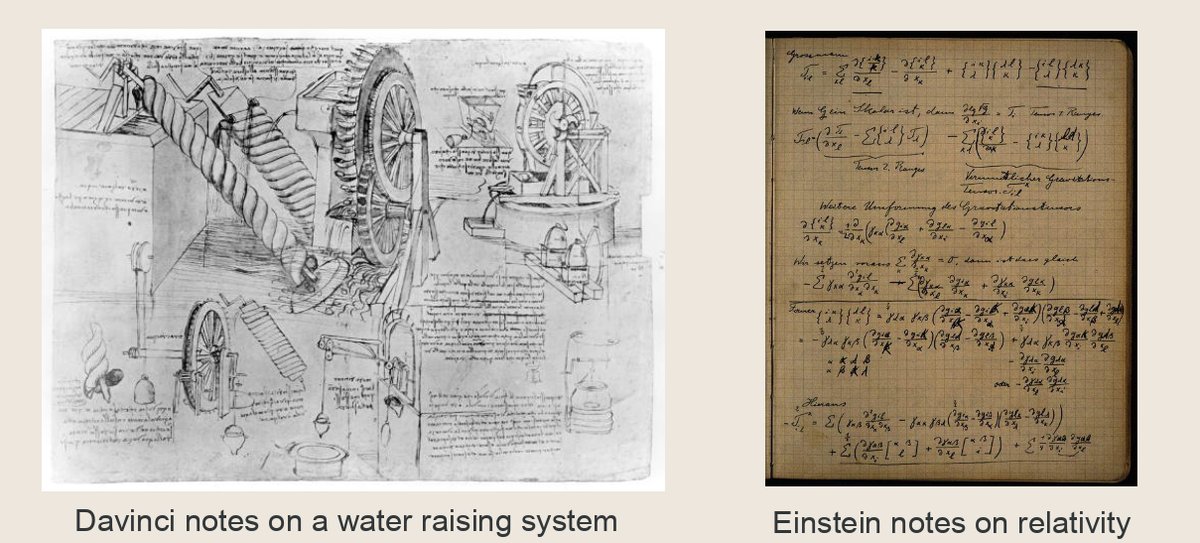
Many of history’s most influential thinkers kept extensive notes. Leonardo Da-Vinci, Isaac Newton, Charles Darwin, Aristotle, Richard Feynman, Alan Turing, and Marie Curie all relied on writing as part of how they observed, questioned, and developed ideas.
Their notes reveal how they thought, worked through problems, and arrived at their insights. In turn, the notes they left behind continue to shape how we understand science, philosophy, and human progress today. After all, we only learn from our betters.
This practice of writing still matters today.
Why Writing Matters for Developers
For developers and engineers, writing is especially useful because the work we handle is often abstract, layered, and mentally demanding. You may be designing a system, debugging unexpected behaviour, comparing trade-offs, researching unfamiliar tools, or trying to understand why something failed.
It is hard to hold all of that in your head at once.
Writing gives you a place to slow down, make your thinking visible, and work through problems with more clarity. The modern term for this practice in software and engineering contexts is often referred to as a developer journal.
What Is a Developer Journal?
A developer journal is a record of your thinking while you work.
It is where you capture:
- the problem you are trying to solve
- what you tried
- what worked
- what failed
- what you learned
- how you eventually arrived at a solution
At its best, a developer journal helps you externalise your thinking so you can work with it more clearly and return to it later when needed.
Here is why you should keep one, and how to do it effectively.
Why Keeping a Developer Journal Pays Off
1. Build a Personal Knowledge Base
The most obvious benefit is record keeping.
A developer journal becomes a place to store ideas, observations, lessons, solutions, code snippets, research notes, and useful conversations. Over time, it grows into a personal knowledge base you can search and revisit when similar problems come up again.
Instead of solving the same problem from scratch every few months, you can learn from your own past work.
2. Track Progress and Support Career Growth
A journal is also valuable for performance reviews and professional growth.
Many people struggle to recall what they achieved over the last six or twelve months. Important wins are forgotten, timelines become blurry, and useful details disappear. A written record solves that problem. It gives you evidence of what you worked on, how you contributed, what improved, and how your responsibilities evolved over time.
That makes it easier to prepare for:
- performance reviews
- promotion discussions
- stand-ups
- retrospectives
- project handovers
It also makes progress visible. Rather than vaguely feeling like you have improved, you can see it clearly in the record of your work.
3. Improve Clarity and Reflection
A developer journal helps you compare what you intended to do with what you actually did.
It helps you reflect on how you approached a problem, where you got stuck, what assumptions you made, and what changed along the way. That kind of reflection improves judgement over time.
It is also useful after breaks, vacations, or context switches. Instead of spending hours trying to remember where you left off, you can return to your notes and pick up with much less friction.
4. Stay Focused and Reduce Context Switching
Project management tools are useful for tracking tasks at a high level, but they usually do not capture the real messiness of implementation work.
At the developer level, work is often full of ambiguity. You may know the goal but not the path. A developer journal gives you a place to define the problem, break down the work, note open questions, and track your progress through uncertainty.
This improves focus because when you write down:
- what you know
- what you do not know
- what you need to test
- what your next step is
you reduce mental clutter and make it easier to concentrate on one clearly defined problem at a time.
How a Developer Journal Helps in Real Work
A developer journal can support your day-to-day work in practical ways.
You can use it to:
- document bugs and debugging attempts
- capture design ideas before implementation
- record key decisions and why they were made
- keep track of code experiments and outcomes
- store useful snippets, commands, and references
- summarise discussions with teammates
- note blockers, risks, and next actions
This is especially helpful when asking for support. A clear written record of what you tried and what happened makes it much easier for a teammate, mentor, or AI assistant to help you quickly.
How to Start a Developer Journal
What You Need
You do not need much. A simple setup is enough:
1. A text editor and a Syncing method
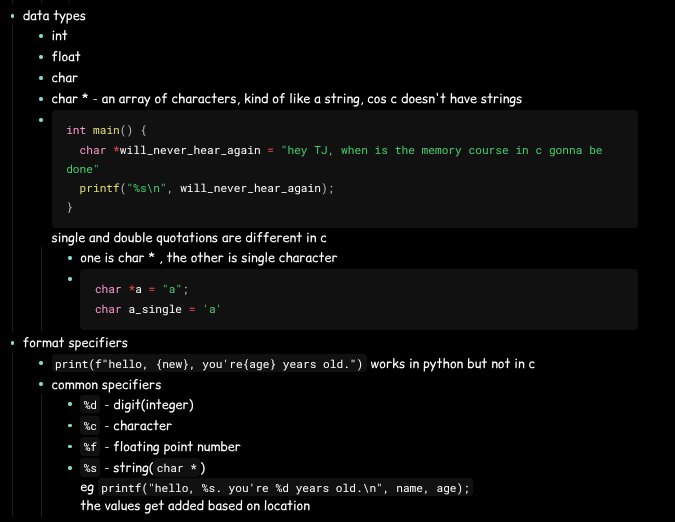
Many developers prefer Markdown-based tools because it works across all devices. Obsidian is a popular option, but any editor will do.
A syncing service keeps your notes available across devices. You might use a cloud provider, GitHub, Syncthing, or a peer-to-peer syncing tool such as Resilio.
2. Classic Pen and Paper
A simple book paired with your favourite pen is also another option with a very low barrier to entry, but digital tools are often better for developers. Digital journals support code snippets, images, links, and fast searching

That is enough to get started. The important thing is not the tool. It is the habit.
A Simple Workflow: Before, During, and After Work
Before a Work Session
Before you start working, define the goal of the session.
Ask yourself:
What am I trying to achieve?
- Is the task clearly defined?
- Do I need to research first?
- Am I exploring, implementing, or testing?
- What is the next concrete action?
This makes your work intentional. Even a short note can reduce ambiguity and help you start with direction.
During the Session
Write whenever you get stuck.
If you are debugging, document:
- what you expected
- what happened instead
- what you have already tried
- what you think might be causing the issue
Also write when something works. Capture the solution while it is fresh, along with the reasoning that led you there. Do not worry about polishing it. The point is to preserve useful thinking, not produce a perfect document.
After the Session
At the end of the session, reflect briefly.
You might write:
- what you completed
- what you learned
- what is still unclear
- what the next step should be
This helps close the loop and makes it easier to resume later.
Tips for Keeping the Habit
1. Keep It Simple
Do not build a complicated system you will abandon after two weeks. A daily note with timestamps is often enough.
2. Write Briefly and Directly
Do not aim for polished writing. Aim for useful writing. Capture the thought exactly the way it appears in your head. Don't bother too much about the formatting or phrasing, clarity is what matters.
3. Review Regularly
Revisit your notes daily, weekly, or monthly. Reflection is where a lot of the long-term value comes from.
4. Let the System Evolve
Start small. Improve the structure later if needed. The best journaling system is usually the one you will actually continue using.
Final Thoughts
A developer journal is more than a collection of notes.
It is a record of your thinking, a tool for solving problems, and a practical way to make your growth visible over time. It helps you remember what happened, understand how you work, and approach future problems with more clarity.
You do not need a perfect system to begin. You just need a place to think in writing and the habit of returning to it.
Over time, that simple practice can become one of the most valuable tools in your work.